


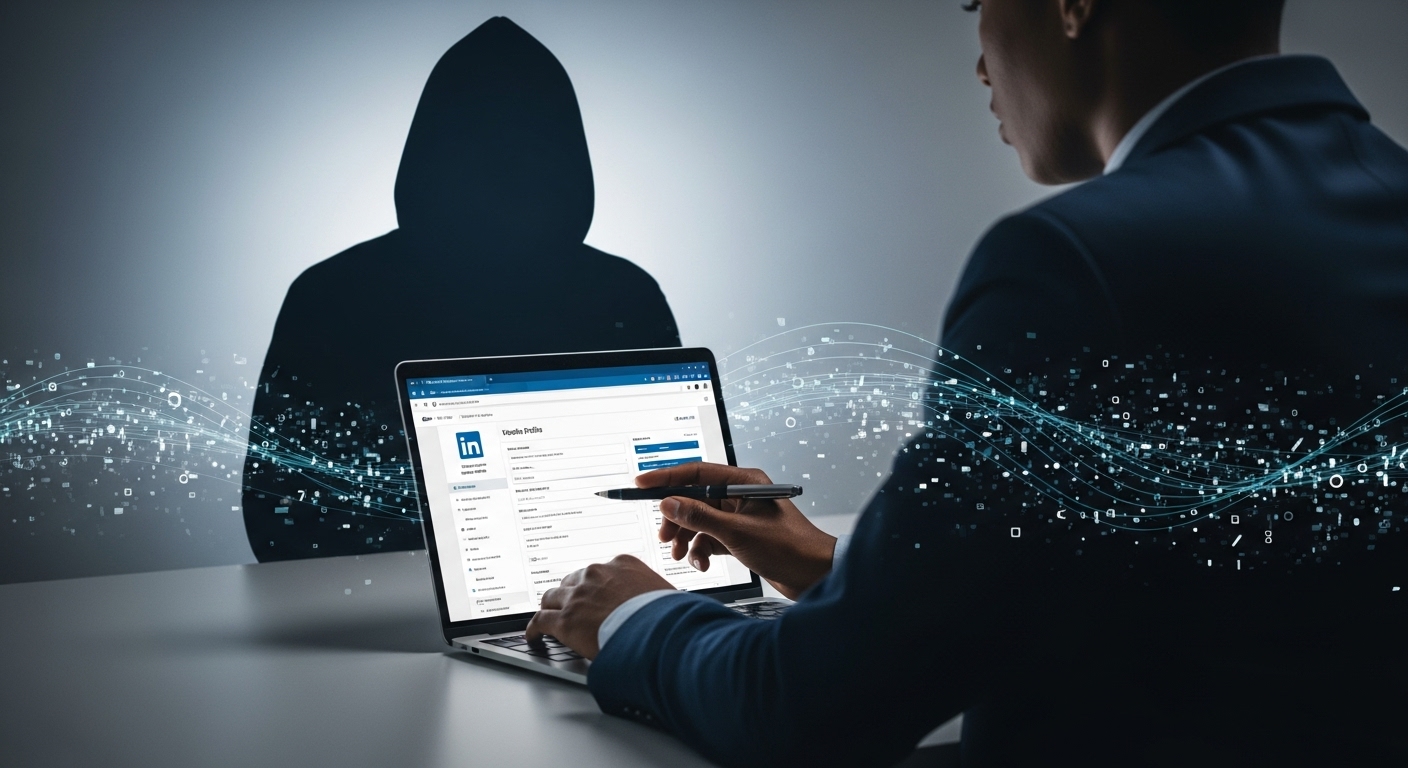
On any given day, millions of people log into LinkedIn to share career updates, polish their profiles, or connect with new opportunities. It feels like a safe space for professionals. It is almost like a digital CV where your skills, job history, and achievements can shine. But while recruiters, colleagues, and mentors scroll through your page with good intentions, others do not. Hackers exploit LinkedIn profiles in ways most people never imagined. They could turn a simple career update into the first step of a cyberattack.
LinkedIn is different from most social networks. It encourages you to put your best self forward by listing work experience, education, volunteer efforts, certifications, and even contact details. The more complete your profile, the more visible you become, not just to employers, but also to anyone willing to misuse that information. Criminals see more than a resume. They see patterns, clues, and data points that can be pieced together into a powerful weapon.
The result is unsettling. What looks like harmless sharing can open doors to identity theft, spear phishing, and scams that target both individuals and the companies they work for. In today’s digital world, the same openness that builds trust also creates vulnerabilities.
This raises an important question: why do hackers exploit LinkedIn profiles, and what makes them such attractive targets?
See Also: How to stay safe from online tech scams
Why Hackers Exploit LinkedIn Profiles
LinkedIn is more than a networking site. For cybercriminals, it is a free database packed with personal and professional details. Unlike other platforms, it rewards openness — the more information you share, the better your chances of being noticed by recruiters or business partners. That same openness is exactly why hackers exploit LinkedIn profiles.
A public profile can reveal far more than you think. Job titles show not just where you work, but also what level of access you might have to company systems. Education and certifications give away details about your background, which can be used to guess security questions or craft convincing impersonations. Even endorsements and connections help hackers map out who you know and who might trust a message that appears to come from you.
Another reason hackers exploit LinkedIn profiles is the credibility of the platform itself. A message sent through LinkedIn often feels more trustworthy than one that lands in a regular inbox. This trust lowers defenses, making it easier for attackers to launch spear phishing attempts, job scams, or even business email compromise schemes.
In short, LinkedIn is attractive because it combines valuable data, high trust, and easy access. For hackers, that’s the perfect recipe.
Common Ways Hackers Exploit LinkedIn Profiles
When most people think of LinkedIn, they see networking, mentorship, or job opportunities. Hackers see something very different. They see a treasure trove of entry points into personal and corporate systems. Here are the most common ways hackers exploit LinkedIn profiles.
1. Social Engineering Through Personal Details
Every job title, certification, or volunteer entry tells a story. Criminals piece these stories together to manipulate their targets. For example, a hacker might use your past roles to pretend they share a background with you. They could also drop names of your alma mater or industry groups to build quick trust. The more you reveal, the easier it becomes to trick you into clicking a malicious link or sharing sensitive information.
2. Identity Theft and Impersonation Scams
LinkedIn makes it simple to clone an identity. Hackers exploit LinkedIn profiles by copying photos, job histories, and skills to create fake accounts. These impersonators then connect with your real colleagues or clients, spreading malware or stealing data under the guise of being you. Victims often don’t realize until the damage is already done.
3. Spear Phishing with Company Roles and Emails
One of the most dangerous tactics involves spear phishing. By studying a LinkedIn profile, attackers can guess which company systems a person has access to. They then craft convincing emails or LinkedIn messages that appear to come from HR, IT, or even a manager. Because the details match real roles and structures, targets are far more likely to fall for the scam.
4. Job Scams Targeting Active Seekers
Hackers also prey on job seekers. Fake recruiters offer dream roles, complete with official-sounding job descriptions and interview processes. Victims may be asked to share personal documents, pay for “training,” or download malware disguised as onboarding material. The trust LinkedIn gives to recruiter accounts makes these scams especially convincing.
5. Data Mining for Corporate Espionage
Finally, hackers exploit LinkedIn profiles to gather intelligence about entire organizations. By mapping out employee roles, departments, and reporting lines, they can spot weak links or entry points into a company. Even small details like a post about a new software rollout, can tip off attackers about what tools the company uses, making targeted attacks easier.
Risks of Ignoring How Hackers Exploit LinkedIn Profiles
It’s easy to dismiss LinkedIn as “just another social network.” But ignoring how hackers exploit LinkedIn profiles can have serious consequences, both for individuals and for the companies they work with. The risks go far beyond an embarrassing impersonation — they can touch reputation, finances, and corporate security.
1. Professional Reputation Damage
Your professional image is one of your most valuable assets. If a hacker clones your profile or uses your information to run scams, colleagues and clients may associate your name with fraud. Even if you clear your name later, rebuilding trust takes time. In industries where credibility is everything, a damaged reputation can stall career growth.
2. Financial Loss and Fraud Risks
The personal details on a LinkedIn profile — job history, skills, contact information — can be pieced together for identity theft. Criminals may use them to apply for loans, commit tax fraud, or trick you into transferring money. For job seekers, the risk is higher. Fake recruiters have scammed applicants into paying for bogus training or background checks, draining savings at vulnerable moments.
3. Security Threats to Employers and Companies
Perhaps the biggest risk is to the organization itself. Hackers exploit LinkedIn profiles to identify employees with access to sensitive data or systems. Once they target the right person, a single phishing email or malicious attachment can compromise an entire company’s network. This can lead to data breaches, ransomware attacks, and regulatory fines — all triggered by a profile left too open.
In short, the dangers of ignoring LinkedIn security aren’t hypothetical. They’re real, costly, and growing. The good news is that there are practical steps you can take to protect yourself and your organization.
How to Protect Public LinkedIn Profiles from Hackers
The risks are real, but they aren’t inevitable. With the right habits and settings, you can enjoy the benefits of networking while reducing exposure. Protecting public profiles doesn’t mean hiding everything — it means being intentional about what you share and how you manage access. Here are proven ways to guard against attacks when hackers exploit LinkedIn profiles.
1. Smart Privacy Settings to Limit Exposure
LinkedIn gives you control over how much of your profile is visible. Adjust visibility so only connections see certain details, such as email addresses or endorsements. Restrict who can download your email when you apply for jobs, and review which sections are open to the public. These small tweaks make it harder for attackers to collect data in bulk.
2. What Not to Share Publicly
Less is often more. Avoid listing sensitive information such as exact dates of employment, personal phone numbers, or detailed project data that could reveal company systems. Hackers often piece together small details to answer password recovery questions or impersonate insiders. Share enough to highlight your skills, but not so much that strangers can build a case study on you.
3. Spotting Fake Connection Requests
A common tactic is sending connection requests from cloned or fake profiles. Before you click “accept,” take a closer look. Is the account new with few connections? Do the work history and endorsements look vague or copied? Trust your instincts. If something feels off, it probably is. Ignoring suspicious requests cuts off one of the main ways hackers exploit LinkedIn profiles.
4. Multi-Factor Authentication and Account Monitoring
Even with privacy controls, accounts can be targeted directly. Enable multi-factor authentication (MFA) so that even if a hacker guesses or steals your password, they can’t log in. Regularly monitor account activity for unknown logins or unusual messages sent in your name. Quick action can prevent impersonation and keep your network safe.
5. Training Employees on LinkedIn Security
For businesses, LinkedIn security should be part of employee awareness programs. Encourage staff to review privacy settings, avoid oversharing company information, and verify recruiter messages before responding. One careless click from an employee profile can expose the entire organization, so awareness is as important as technology.
Protecting your LinkedIn presence doesn’t mean disappearing. It means using the platform with intention, guarding your data while still putting your best self forward. The stronger your defenses, the less likely hackers will see your profile as an easy target.
Advanced Strategies to Stay Ahead of Hackers
Basic privacy settings go a long way, but hackers are always evolving their tactics. To stay one step ahead, professionals need to go beyond the default. These advanced strategies make it harder for hackers to exploit LinkedIn profiles while still allowing you to grow your presence.
1. Using LinkedIn in Private Mode Strategically
One overlooked feature is private mode. This setting lets you browse profiles without revealing your identity. While it’s not practical to keep it on all the time, toggling it when researching new connections or recruiters prevents attackers from tracking your activity. Used selectively, it gives you more control over what others see.
2. Leveraging Cybersecurity Tools and Alerts
Don’t rely only on LinkedIn’s built-in protections. Set up Google Alerts for your name to catch fake accounts early. Use password managers to generate and store strong, unique passwords for LinkedIn and other platforms. Some advanced users even enable dark web monitoring services to check if their LinkedIn email or details are being sold online. These tools add extra layers of defense against hackers who exploit LinkedIn profiles.
3. Regular Audits of Your Digital Footprint
Profiles evolve, and so do risks. Schedule regular audits of what you’ve shared — not just on LinkedIn, but across all professional and personal platforms. Look for old contact details, outdated job descriptions, or posts that reveal too much about company systems. Think like a hacker: what patterns can they connect from your online presence? By cleaning up your digital footprint, you reduce the attack surface.
These strategies may take a little extra time, but they make a big difference. Hackers thrive on easy targets. By making your profile harder to exploit, you encourage them to move on in search of someone less prepared.
See Also: LinkedIn Security Tips
Balancing Visibility and Safety on LinkedIn
For many professionals, the biggest worry is that protecting their LinkedIn profile means giving up opportunities. After all, recruiters and potential partners need to see your experience to reach out. The good news is you don’t have to choose between being visible and being safe. The key is balance.
1. Why You Can’t Disappear Completely
A complete disappearance from LinkedIn isn’t realistic. Employers, clients, and colleagues often expect to find you there. In fact, an empty or locked-down profile can raise questions about credibility. Hackers exploit LinkedIn profiles, but recruiters also depend on them to find top talent. The challenge is to remain open enough for opportunities while closing off unnecessary risks.
2. Maintaining a Strong Brand While Staying Secure
You can still showcase expertise without oversharing. Highlight achievements, certifications, and industry involvement, but avoid exact dates, personal contact details, or sensitive project information. Instead of posting about the tools your company just deployed, focus on the impact of your work. This way, you protect corporate information while strengthening your personal brand.
3. Creating a Professional Profile Without Oversharing
Think of your LinkedIn as a billboard, not a diary. Use it to show who you are and what you can do, but keep personal data out of sight. For example, list your job title and key responsibilities, but skip specifics that could double as password hints. Share thought leadership posts, but avoid check-ins or location tags that reveal where you are in real time.
Striking this balance ensures LinkedIn works for you rather than against you. You’ll still attract the right attention, but you’ll give hackers less to work with.
What Companies Can Learn from How Hackers Exploit LinkedIn Profiles
When hackers exploit LinkedIn profiles, they rarely stop at individuals. For many attackers, the end goal is access to an organization’s systems, data, or finances. This makes LinkedIn a corporate security concern, not just a personal one. Companies that treat it lightly risk giving criminals an open door.
1. Protecting Executives and High-Value Employees
Executives and senior managers are prime targets because of their access and influence. Hackers exploit LinkedIn profiles of these leaders to impersonate them, launch spear phishing campaigns, or map out reporting structures. Organizations should provide extra security training and even monitor executive profiles for signs of cloning or impersonation.
2. Monitoring Corporate Mentions and Impersonations
Attackers often create fake recruiter or vendor accounts to approach employees. By setting up monitoring tools, companies can detect when their name, logo, or brand is being misused on LinkedIn. Quick takedowns of impersonator accounts reduce the chance of employees falling victim to scams.
3. Building a Security-First Culture in Hiring and Networking
LinkedIn is heavily used for recruiting, which makes job seekers vulnerable. Companies can reduce risk by training HR teams to verify profiles and connections before engaging. Employees should also be reminded that oversharing company updates like announcing a new software rollout can unintentionally give hackers intelligence about internal systems. A culture where staff see LinkedIn security as part of everyday cybersecurity makes the entire organization stronger.
Conclusion
We’ve seen how hackers exploit LinkedIn profiles to steal identities, launch phishing campaigns, and even compromise entire companies. What feels like harmless sharing of job titles, achievements, and connections can quickly become ammunition in the wrong hands. The risks are serious, but they are not reasons to abandon the platform. By staying alert, you can protect both your career and your organization. Awareness is the first defense and it starts with looking at your own profile today.
FAQs
1. Why do hackers exploit LinkedIn profiles?
Hackers exploit LinkedIn profiles to gather personal and work details that can be used for identity theft, phishing emails, fake recruiter scams, and corporate espionage.
2. Can LinkedIn profiles put companies at risk?
Yes. Public employee profiles give hackers insight into company roles, tools, and reporting lines. This makes it easier to target staff and launch business email compromise attacks.
3. How do I protect my LinkedIn profile from hackers?
Limit what’s public, enable multi-factor authentication, use strong passwords, and screen all connection requests. These steps reduce how hackers exploit LinkedIn profiles.
4. What if someone clones my LinkedIn account?
Report the fake profile to LinkedIn immediately, warn your network, and notify your employer. Cloned accounts are a common way hackers exploit LinkedIn profiles to spread scams.
5. Are LinkedIn job offers safe from hackers?
Not always. Verify recruiters before sharing documents or clicking links. Be wary of offers asking for money, software downloads, or sensitive data too soon.

3 Comments
Pingback: How to Boost Your Remote Work Skills Visibility and Get Hired - Giditech
I don’t think the title of your article matches the content lol. Just kidding, mainly because I had some doubts after reading the article.
Sau khi đọc bài review này tôi đã thử tham gia pikashow ott và cảm thấy khá hài lòng với trải nghiệm thực tế. TONY09-29