


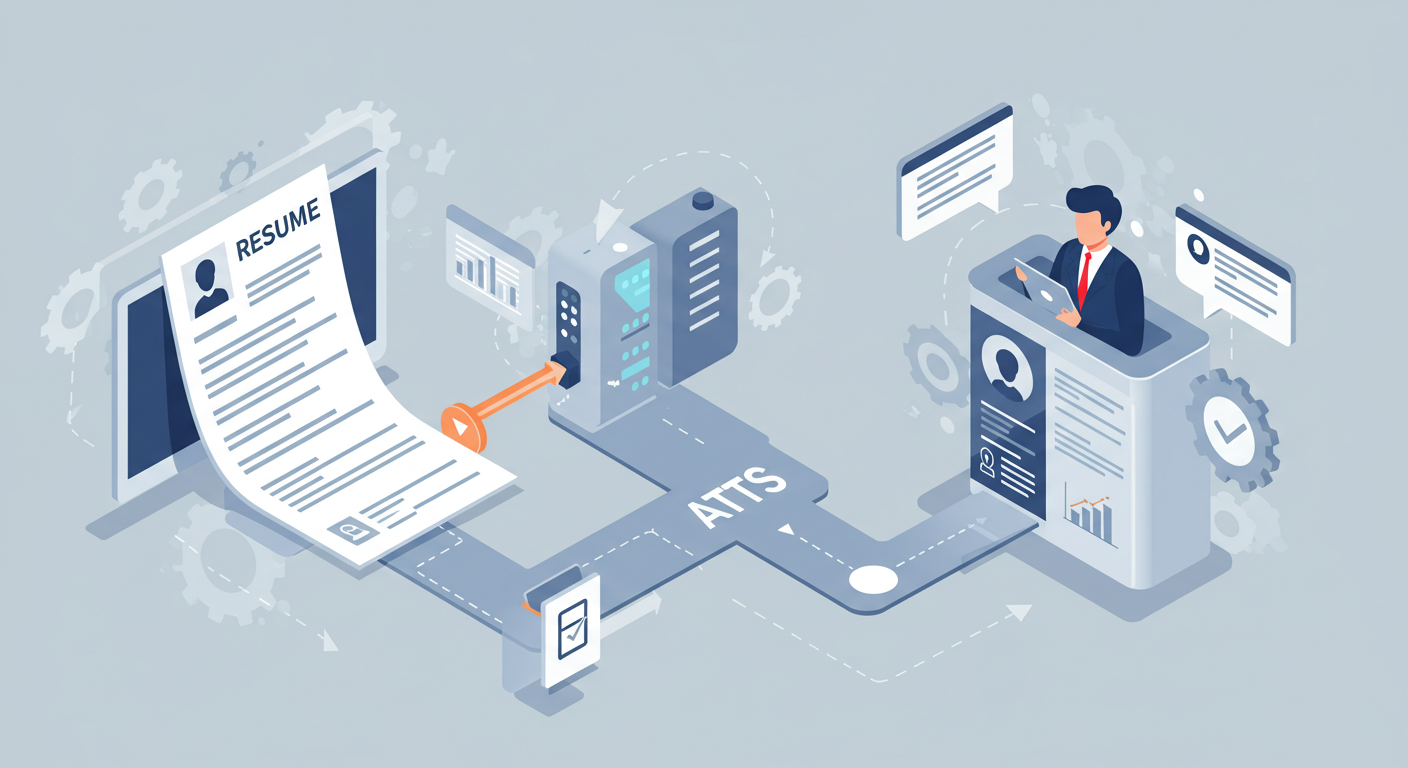
Landing a dream role in tech isn’t just about skills anymore. It is also about creating a tech resume that beats AI filters. Today, most companies use Applicant Tracking Systems (ATS) and AI-powered tools to screen resumes long before a human recruiter sees them. As a result, even highly qualified developers, designers, or data analysts can get rejected without ever getting an interview.
These filters don’t judge your potential. They simply scan for specific keywords, job-relevant skills, and formatting cues. If your resume doesn’t match the algorithm’s expectations, it’s often discarded automatically. This means you could be excellent at Python, cloud engineering, or UI/UX, yet miss opportunities simply because your resume isn’t machine-readable.
In other words, you don’t need to do too much. Just do it right. You must know the mistakes that kill your chances, the keywords and formats that actually work, and how to optimize your resume for both AI and recruiters.
See Also: How to Build a Tech Portfolio that gets you hired.
Why AI Filters Reject So Many Resumes
The biggest shock for most job seekers is realizing that rejection often has nothing to do with their skills. The reality is that over 98% of companies use Applicant Tracking Systems (ATS) to screen resumes before a human recruiter ever sees them. These AI tools aren’t looking at your achievements or potential. They’re scanning for patterns, keywords, and structure. If your resume doesn’t fit, it’s gone before a human even has a chance to skim it.
1. Formatting that breaks the system
Tables, text boxes, icons, and fancy templates might look sleek to you, but they confuse ATS software. Instead of reading your skills, the system may see blank spaces or jumbled text, leading to an automatic rejection.
2. Missing the right keywords
AI filters are designed to match resumes against the job description. If the role asks for “React.js” and your resume only says “JavaScript framework,” the system may not recognize it as a match. One missing keyword can push your application to the discard pile.
3. Generic or vague content
Phrases like “hardworking professional” or “team player” mean little to an AI scanner. What it wants are specific skills, tools, and metrics. Without them, your resume is ranked low and often ignored.
4. Wrong file type or errors
Submitting the wrong file format (like an image-based PDF) or small mistakes in headings can stop ATS from parsing your resume correctly. If the AI can’t “read” it, it rejects it.
One thing you should know is that AI isn’t biased. It is only blind to you unless you speak its language. And that’s why creating a tech resume that beats AI filters is about clarity, structure, and keyword strategy. Get those right, and you’ll move from the discard pile to the shortlist.
Core Elements of a Tech Resume That Beats AI Filters
If you want your resume to survive the first round of AI screening, you need to build it with both humans and algorithms in mind. Here are the essential components of a tech resume that beats AI filters:
1. Clear, Machine-Readable Formatting
Fancy resumes get people disqualified faster than underqualified ones. Why? Because ATS software isn’t built to appreciate design but to analyze text.
- Use plain fonts (Calibri, Arial, Times New Roman).
- Stick to linear layouts. Leave out tables, text boxes, images, or icons.
- Keep headings standard: Experience, Skills, Education, Projects.
2. Strategic Keyword Optimization
ATS is basically a search engine for recruiters. If your resume doesn’t “rank,” it won’t be seen. Keywords bridge the gap.
- Extract the vocabulary directly from the job description (e.g., React.js, Docker, AWS, Kubernetes).
- Embed keywords naturally in your Skills and Experience sections.
- Mirror exact phrases. For instance, “CI/CD” is not the same as “DevOps pipeline” in ATS logic.
Avoid the rookie mistake of keyword stuffing. Like overusing a library in your code, it looks forced and raises red flags. Instead, spread relevant terms where they naturally belong.
3. Hard Skills Take Priority
In tech hiring, hard skills are the first filter. A recruiter scanning 100 resumes wants to know within seconds if you’ve touched the right tools, frameworks, or environments.
- Dedicate a separate Skills section with bullet points (e.g., Python, TensorFlow, SQL, Kubernetes).
- Go beyond a raw list and show them in action. Example:
“Developed and deployed a machine-learning model in TensorFlow that improved fraud detection accuracy by 18%.”
This not only beats ATS but also tells the recruiter: you don’t just know the tool, you’ve shipped results with it.
4. Translating Soft Skills into Proof
While ATS is keyword-driven, humans eventually review your file. That’s where soft skills like leadership, collaboration, communication, become the difference-maker. But never list them flat.
Instead of:
“Excellent communication skills.”
Write:
“Facilitated knowledge-sharing sessions across a 15-person engineering team, improving sprint delivery by 20%.”
This reframes a vague soft skill as an outcome with measurable business value.
5. Achievement-Driven Experience
AI filters are programmed to recognize action verbs and numerical impact. Recruiters are wired the same way. Duties don’t impress anyone; results do.
Weak:
“Responsible for maintaining cloud infrastructure.”
Strong:
“Optimized AWS infrastructure to reduce monthly cloud spend by 22% while improving system uptime.”
Each bullet in your experience section should act like a mini-case study: what problem did you face, what action did you take, and what measurable outcome did you deliver?
6. Tailored Resumes Outperform Templates
One of the most costly mistakes in tech job hunting is sending the same resume everywhere. ATS evaluates your file against that exact posting. If the overlap is weak, you’re out.
- Keep a master resume with your full experience and skills.
- For each application, tailor your highlights, update the Skills section, swap out project details, and adjust metrics to echo the role.
Yes, it takes more effort. But consider this: tailoring your resume for five jobs is more effective than blasting the same one at fifty.
7. Submit in Safe File Formats
Finally, don’t trip at the finish line. Wrong file formats can break ATS parsing entirely.
- Use .docx or machine-readable PDFs exported directly from Word or Google Docs.
- Never submit scanned PDFs or image-heavy files because the system can’t analyze them.
Recruiters don’t care how “pretty” your resume is. They care if it gets through the system and proves your fit.
Common Mistakes in Tech Resumes That AI Flags Immediately
If you want to build a tech resume that beats AI filters, it’s not enough to focus on what to include. You also need to know what to avoid. The smallest misstep can cause an Applicant Tracking System (ATS) to reject your application before it reaches human eyes. These mistakes show up repeatedly in rejected resumes and can cost even highly skilled developers, designers, or engineers valuable opportunities.
1. Overdesigned Templates
ATS struggles with resumes that use graphics, tables, or creative layouts. What looks polished to you often looks like gibberish to the software. A visually fancy resume might work if you hand it directly to a hiring manager, but if it passes through AI filters, it’s at risk of being discarded.
2. Missing or Misaligned Keywords
If the job description lists “Kubernetes,” and your resume says only “container orchestration,” the AI may not connect the dots. Using synonyms instead of the employer’s exact wording can kill your chances. This is one of the most common reasons strong candidates never make it past the first round.
3. Keyword Stuffing
On the flip side, some applicants cram every buzzword they can find into their resume. ATS tools are smarter than they used to be. They detect unnatural keyword repetition and may rank your application lower. Recruiters can spot this trick too, and it signals desperation instead of competence.
4. Generic Job Descriptions
Phrases like “worked on various projects” or “responsible for managing servers” add no value. AI systems are trained to highlight quantifiable achievements and specific skills. Without metrics or measurable impact, your resume reads as vague and uncompetitive.
5. Wrong File Formats
A resume saved as a scanned PDF or, worse, an image, is unreadable by ATS. This is one of the simplest mistakes to avoid. Always submit a .docx or machine-readable PDF. Otherwise, the system may reject your application without even parsing it.
6. Neglecting the Skills Section
Many candidates hide skills inside job descriptions instead of listing them clearly. AI filters rely on structured sections. If your skills aren’t in a dedicated list, your resume may look incomplete even if you’re fully qualified.
How to Tailor Your Tech Resume for Different Roles
One of the most powerful ways to create a tech resume that beats AI filters is to tailor it for each application. Sending the same generic resume everywhere might feel efficient, but ATS systems are designed to reward alignment. The closer your resume mirrors the role, the higher your chances of getting shortlisted. Here’s a clear framework you can use:
1. Start With a Master Resume
Think of this as your codebase. Your master resume should contain every skill, project, and accomplishment you’ve accumulated. You won’t send this version to anyone. It’s just your full repository. From here, you pull only what’s most relevant for each role.
2. Analyze the Job Description Like a Debugging Task
Job postings are basically blueprints for the ATS. Every keyword and skill mentioned is a hint. Break it down:
- Highlight hard skills (e.g., Python, TensorFlow, AWS).
- Note soft skills (e.g., collaboration, leadership).
- Spot industry-specific terms (PCI compliance, agile sprints, fintech security protocols).
This list becomes your checklist for tailoring.
3. Align Your Skills Section
Your Skills section should be a mirror of the job description’s requirements, as long as you’re genuinely proficient. If a role emphasizes “React.js” over “JavaScript frameworks,” list React.js specifically. ATS doesn’t infer but it matches exact terms.
4. Reframe Experience With Context
Instead of recycling old bullet points, reframe them to echo the role. For example:
Generic:
“Built APIs for multiple client applications.”
Tailored:
“Developed RESTful APIs in Node.js to integrate fintech payment systems, supporting 200,000+ active users.”
See the difference? The second example matches the fintech context of a specific role.
5. Prioritize Relevant Projects
Side projects, hackathons, or open-source contributions can tip the scale if they align with the job. Place them strategically near the top if they showcase skills the role emphasizes.
6. Adjust the Keywords for Each Application
Don’t just drop new keywords in the Skills section. Sprinkle them naturally throughout your Experience and Projects. This shows ATS (and humans) that you’ve actually applied the skills.
7. Keep Iterations Lightweight
You don’t need to rebuild your resume from scratch for every job. Updating 15–20% of your content per application is enough to significantly boost your ATS match score and your chances of landing an interview.
Optimizing Resume Format for ATS Readability
Even the strongest content can fail if your resume is formatted poorly. That’s why optimizing your format is critical if you want a tech resume that beats AI filters and gets seen by real recruiters.
1. Stick to Standard Fonts and Sizes
ATS tools are designed to recognize basic fonts like Arial, Calibri, or Times New Roman. Anything too fancy risks rendering incorrectly. Keep body text between 10–12 pt and headings slightly larger. Legibility should be your north star.
2. Use a Clean, Linear Layout
Many resumes fail because they rely on text boxes, tables, or multiple columns. While these look neat to humans, ATS often scrambles the content, dropping key details. Stick to a single-column layout that reads top-to-bottom like plain text.
3. Structure With Headings Recruiters Expect
Common headings like Experience, Education, Skills, Certifications, and Projects aren’t just for humans. ATS tools are programmed to analyze them. Avoid quirky alternatives like “What I’ve Done” or “Things I Know.” Simplicity wins here.
4. Choose Machine-Readable File Types
Always save and submit your resume in .docx or PDF (text-based). Avoid scanned PDFs, images, or unusual formats like .odt. If the system can’t screen or understand your file, your resume won’t even enter the pool.
5. Use Bullets for Clarity, Not Paragraphs
Dense blocks of text are hard for both AI and humans to scan. Short, impactful bullet points increase readability and ensure your key skills and achievements are captured correctly.
6. Avoid Overloading With Graphics or Icons
Logos, charts, or skill bars may look visually appealing, but ATS sees them as blank space. If you want to showcase proficiency, use numbers and outcomes in text form not graphics.
7. Test Before You Apply
A simple hack: copy-paste your resume into a plain-text editor like Notepad. If the structure still makes sense and the keywords are intact, your file will likely do well in ATS.
Bottomline
The reality is simple: AI filters aren’t going away. They’re the first gatekeeper for most companies, especially in tech. But once you understand how they work, they stop being a barrier and start being an opportunity. Every adjustment you make, from aligning skills with job descriptions to showcasing measurable outcomes, brings you closer to landing interviews that actually match your goals.
Remember that your resume is not just a document, it’s a pitch. It tells the story of your skills, your growth, and your potential value to the company. Craft it like you would a product you’re shipping, with intention and a focus on the end user.
If you build your resume with the same rigor you’d bring to a tech project, you’ll not only beat the AI filters but also stand out to the humans waiting on the other side. That’s how you turn applications into interviews and interviews into offers.

3 Comments
Good post! We will be linking to this particularly great post on our site. Keep up the great writing 👉 Watch Live Tv online in HD. Stream breaking news, sports, and top shows anytime, anywhere with fast and reliable live streaming.
Pingback: 5 Tech Job Interview Red Flags Every Candidate Must Not Miss - Giditech
Pingback: How to Use Remote OK For Jobs in Nigeria - Giditech