


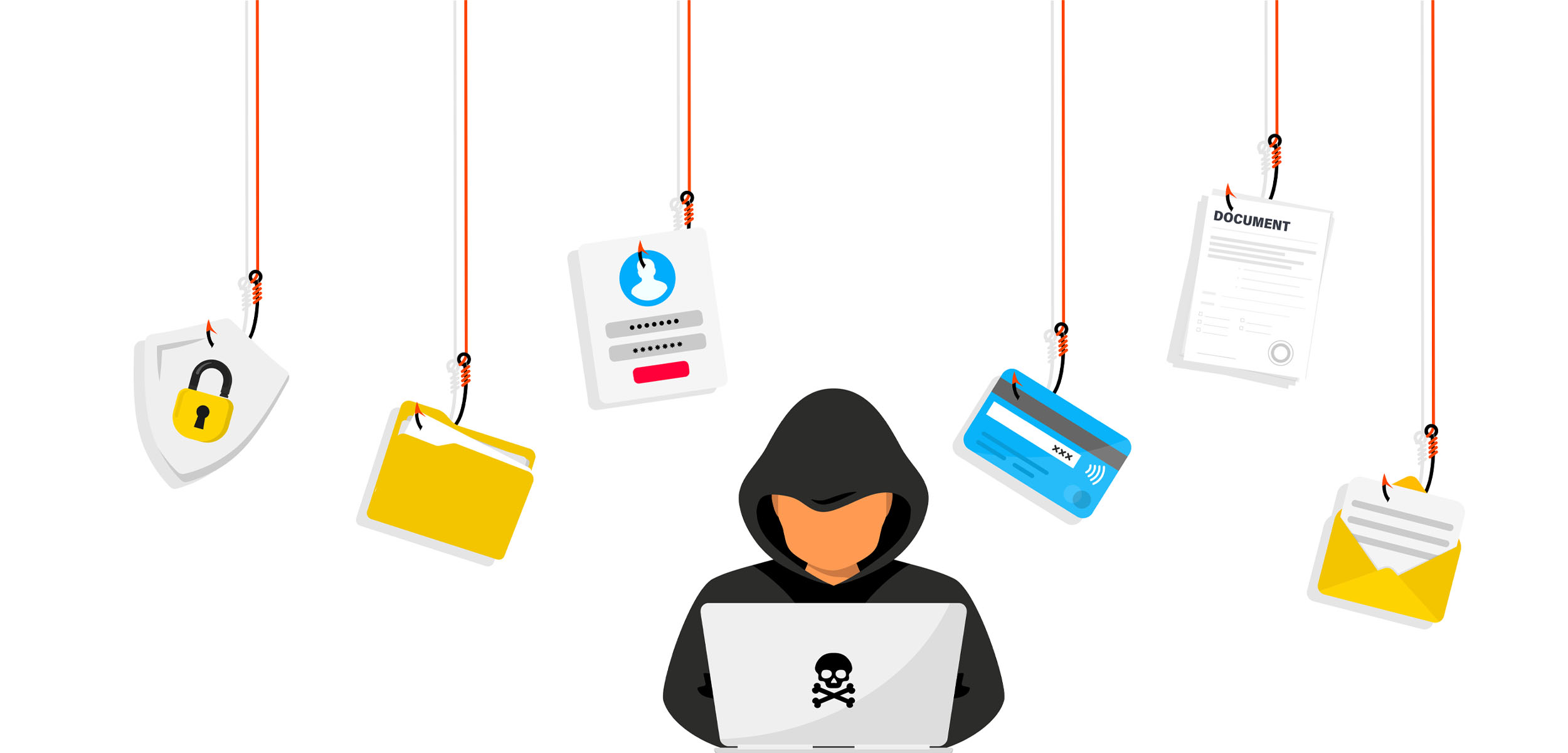
One of the downsides to having a digital presence is the exposure to security breaches that can make you lose personal data and even your fortune in a single click. Cybercriminals are getting smarter by the day. They come up with deceptive emails, fake websites and phishing links, masked as trusted and authentic addresses, to steal sensitive information. Whether you’re an individual or a business, staying protected is no longer optional—it’s a necessity.
You don’t have to spend your net worth on security or hire a cybersecurity expert for this cause. There’s a good number of free phishing protection tools that offer powerful defenses against cyber threats. These tools help protect your accounts from phishing attacks, block dangerous links, and detect fraudulent websites before they can cause damage to your data.
In this guide, we’ll look at some of the best free tools to stop phishing attacks, from browser extensions to AI-driven email filters. All to ensure your online safety—without costing you a dime.
Understanding Phishing: Why You Need Free Phishing Protection Tools
Phishing isn’t just a buzzword—it’s a full-blown cyber epidemic. At its core, phishing is a sneaky tactic whereby cybercriminals impersonate trusted entities (like your bank, employer, or even a popular service like PayPal) to trick you into handing over sensitive information. This could be through an almost irresistible offer via a fake email on your next big buy, or even malicious text messages. And let’s be honest: these scams are getting harder to spot.
Phishing holds record for being one of the leading causes of data theft and security breaches. According to the Verizon Data Breach Investigations Report (DBIR), it is about 40%. That’s more than one-third of all breaches! And it’s not just big corporations being targeted—small businesses and individuals are equally at risk. In fact, 74% of organizations in the U.S. experienced a successful phishing attack in 2023, proving that no one is immune to these scams.
So, why is phishing so effective? Because it preys on human psychology. Cybercriminals use urgency, fear, or curiosity to manipulate you into clicking that malicious link or downloading that infected attachment. And once you do, the damage can be gut-wrenching—stolen credentials, ransomware infections, or even financial loss.
This is where free phishing protection tools save the day. These tools act as your digital shield, blocking phishing attempts before they even reach your inbox. For budget-conscious users, free tools are a game-changer. They provide essential protection without the hefty price tag, making cybersecurity accessible to everyone. But here’s the thing: how to stop phishing starts with awareness and the right tools. While no tool is 100% foolproof, combining education with reliable free cybersecurity tools significantly reduces your risk. Think of it as locking your doors and windows—it’s a simple step, but it makes a world of difference.
How Gmail’s Free Phishing Protection Tools Keep You Safe
When it comes to email security, Gmail is a powerhouse—and the best part? It’s completely free. Gmail offers some of the best free phishing protection tools built right in, making it a top choice for individuals and businesses alike. From advanced filters to real-time warnings, Gmail’s features are designed to protect email from phishing attacks before they can cause harm. Let’s break down how it works and how you can make the most of these no-cost features.
1. Advanced Spam and Phishing Filters
Gmail’s AI-powered filters are like a digital bouncer for your inbox. They automatically scan every incoming email for suspicious content, such as phishing attempts, malware, or parody addresses. If an email looks fishy, Gmail sends it straight to your Spam folder, where it can’t do any damage. In fact, Gmail blocks over 100 million phishing emails every day, according to Google.
2. Suspicious Link Warnings
Ever clicked a link only to realize it was a scam? Gmail has your back. If an email contains a suspicious link, Gmail will display a bright red warning banner at the top of the message, alerting you to proceed with caution. This feature is especially helpful for spotting URLs that look legitimate but lead to malicious sites.
3. Two-Factor Authentication (2FA)
While not exclusive to Gmail, enabling 2FA adds an extra layer of security to your account. Even if a phishing attack compromises your password, hackers won’t be able to access your account without the second authentication factor (like a code sent to your phone).
How to Enable Gmail’s Phishing Protection Features
- Enable Spam Filtering: Gmail does this automatically, but you can manually mark suspicious emails as spam by clicking the “Report spam” button.
- Turn On Link Warnings: No setup is needed—Gmail’s link warnings are enabled by default. Just keep an eye out for those red banners.
- Set Up 2FA: Go to your Google Account settings. Navigate to Security > 2-Step Verification. Follow the prompts to enable 2FA using your phone or an authenticator app.
By using these features, you can protect email from phishing attacks without spending a dime. Gmail is your go-to for some of the best free tools for phishing protection. They are user-friendly, effective, and constantly updated to stay ahead of emerging threats.
Top Browser Extensions: Free Phishing Protection Tools You Need
Your browser is one of the most common entry points for phishing attacks. Whether it’s a malicious link in an email or a fake website, cybercriminals are constantly looking for ways to trick you. But these free phishing protection tools turn your browser into a fortress, blocking threats before they can do any harm. These are three must-have browser extensions that can help you stay safe online.
1. uBlock Origin
uBlock Origin is more than just an ad blocker—it’s a powerful tool for stopping phishing attempts at the source. This lightweight extension blocks malicious domains, trackers, and ads that could lead to phishing sites. It’s highly customizable, allowing you to create filters for specific threats.
Pros:
- Lightweight and fast.
- Blocks ads, trackers, and malicious domains.
- Open-source and regularly updated.
Cons:
- Requires some customization for advanced users.
- May block legitimate sites if filters are too strict.
2. ClearURLs
ClearURLs is a privacy-focused extension that removes tracking elements from URLs. While its primary purpose is to protect your privacy, it also helps prevent phishing by stripping out suspicious parameters that could redirect you to malicious sites.
Pros:
- Easy to use with no setup required.
- Enhances privacy and security.
- Lightweight and open-source.
Cons:
- Doesn’t block phishing sites directly.
- Limited to URL cleaning.
3. Browser Guard (by Malwarebytes)
Browser Guard is a free extension designed to block phishing sites, malicious ads, and trackers. It integrates seamlessly with your browser and provides real-time protection against known threats.
Pros:
- Real-time blocking of phishing sites.
- User-friendly with no configuration needed.
- Works alongside other security tools.
Cons:
- May occasionally flag legitimate sites.
- Requires an internet connection for updates.
| Extension | Ease of Use | Compatibility | Blocks Phishing | Blocks Trackers | Customization |
| uBlock Origin | Medium | All Browsers | Yes | Yes | High |
| Clear URLs | Easy | All Browsers | Indirectly | Yes | Low |
| Browser Guard | Easy | All Browsers | Yes | Yes | Medium |
By combining these extensions, you can create a multi-layered defense that keeps you safe from phishing attacks, trackers, and other online threats.
Open-Source Free Phishing Protection Tools for Tech-Savvy Users
If you’re a tech enthusiast or you manage your own email server, open-source tools offer unparalleled flexibility and control. For DIY security, free phishing protection tools like SpamAssassin shine, providing robust defenses against phishing attacks. While these tools may require a bit more setup, their effectiveness and customization options make them worth the effort. These are two of the best open-source solutions for stopping phishing in its tracks.
1. SpamAssassin
SpamAssassin is a powerful, open-source email filtering system that uses a combination of rule-based filtering, Bayesian analysis, and DNS blocklists to identify and block phishing emails. It’s highly customizable, allowing you to tweak rules and thresholds to suit your specific needs.
How It Works:
- Scans incoming emails for phishing indicators, such as suspicious links or spoofed addresses.
- Assigns a spam score to each email, flagging or blocking those that exceed your set threshold.
- Integrates with popular email servers like Postfix and Exim.
Pros:
- Highly customizable and effective.
- Free and open-source.
- Regularly updated by a large community.
Cons:
- Requires technical expertise to set up and configure.
- May need ongoing maintenance to keep rules up to date.
Setup Guide: Check out the official SpamAssassin documentation for detailed installation instructions.
2. MailScanner
MailScanner is another open-source tool designed to protect email servers from phishing, spam, and malware. It works alongside SpamAssassin and other tools to provide a comprehensive email security solution.
How It Works:
- Scans email headers and content for phishing attempts.
- Integrates with antivirus software to detect malicious attachments.
- Provides detailed logging and reporting for easier troubleshooting.
Pros:
- Excellent for enterprise-level email security.
- Integrates with multiple tools for enhanced protection.
- Free and open-source.
Cons:
- Complex setup process.
- Requires a dedicated server for optimal performance.
Setup Guide: Visit the MailScanner GitHub page for installation and configuration tips.
How to stop phishing with open-source solutions starts with choosing the right tool for your needs. While SpamAssassin and MailScanner may require more effort to set up, their flexibility and effectiveness make them ideal for tech-savvy users.
| Feature | SpamAssassin | MailScanner |
| Ease of Setup | Moderate (requires technical skills) | Complex (needs server configuration) |
| Customization | High (rule-based and Bayesian filters) | Medium (integrates with other tools) |
| Phishing Detection | Excellent (scores emails for threats) | Excellent (scans headers and content) |
| Spam Filtering | Yes | Yes |
| Malware detection | No (requires additional tools) | Yes (integrates with antivirus) |
| Reporting | Basic | Detailed Log and Report |
| Best For | Individual email servers | Enterprise-level email security |
Free Phishing Protection Tools for Small Business Owners
Running a small business is tough enough. Worrying about phishing attacks? That’s even more trouble. Small businesses are three times more likely to be targeted by cybercriminals than larger companies. But you can get the protection you need. You don’t need a massive IT budget to stay safe. Small businesses can rely on free phishing protection tools to cut risks and keep their operations secure. I found two standout options that are perfect for small teams.
1. Cloudflare Gateway (Free Tier)
Cloudflare Gateway is a cloud-based solution that blocks phishing attempts, malware, and other online threats before they reach your network. The free tier is ideal for small businesses, offering basic DNS filtering for up to 50 users. Imagine you run a 5-person marketing agency. One of your team members clicks a link in a phishing email, thinking it’s from a client. With Cloudflare Gateway, that link would be blocked instantly, preventing a potential data breach.
How It Works:
- Blocks access to known phishing sites and malicious domains.
- Filters DNS traffic to prevent employees from visiting dangerous websites.
- Easy to set up and manage through a user-friendly dashboard.
2. Google Workspace’s Free Features
If your small business uses Google Workspace (formerly G Suite), you already have access to powerful free phishing protection tools. Gmail’s built-in filters, suspicious link warnings, and 2FA are just the start. A small e-commerce store with a 10-person team can use Google Workspace to protect email from phishing without breaking the bank. By enabling 2FA and training employees to recognize phishing attempts, they’ve reduced their risk of cyberattacks by 80%.
How It Works:
- Scans incoming emails for phishing attempts and sends them to Spam.
- Displays warnings for suspicious links and attachments.
- Offers 2FA to secure accounts even if passwords are compromised.
Why These Tools Matter
Phishing attacks can cripple a small business, leading to financial losses, damaged reputations, and even legal issues. But with tools like Cloudflare Gateway and Google Workspace, you can easily build a strong defense.
How to Get the Most Out of Free Phishing Protection Tools
Using free phishing protection tools is a great start, but to truly stay safe, you need to know how to use them effectively. Maximize free phishing protection tools with these simple steps, and you’ll significantly reduce your risk of falling victim to phishing attacks. Remember, free cybersecurity tools work best when paired with smart habits. Check out these actionable tips to help you get the most out of your defenses.
1. Combine Tools for Layered Protection
No single tool can catch every threat. By combining multiple tools, you create a multi-layered defense that’s much harder for cybercriminals to bypass. For example: Use Gmail’s built-in filters alongside Cloudflare Gateway to block phishing emails and malicious websites. Pair uBlock Origin with Browser Guard to stop phishing links and trackers in your browser.
2. Keep Everything Updated
Cyber threats evolve constantly, and so should your tools. Make sure all your software, extensions, and tools are up to date to protect against the latest phishing tactics.
3. Train Yourself and Your Team
Even the best tools can’t stop human error. Educate yourself and your team on how to spot phishing attempts. Look for suspicious sender addresses, urgent or threatening language, misspellings and poor grammar and questionable requests for sensitive information.
4. Enable Two-Factor Authentication (2FA)
2FA adds an extra layer of security, making it much harder for attackers to access your accounts—even if they steal your password.
5. Regularly Review and Adjust Settings
Take a few minutes each month to review your tool settings. Ensure filters are active, rules are up to date, and any new features are enabled.
By following these steps, you’ll not only maximize the effectiveness of your free phishing protection tools but also build smarter habits that keep you safe in the long run.
Conclusion
Phishing attacks are a serious threat, but you don’t have to face them alone. From Gmail’s built-in filters to powerful browser extensions like uBlock Origin and Browser Guard, there’s a wealth of free phishing protection tools available to keep you safe. Open-source solutions like SpamAssassin and MailScanner offer advanced protection for tech-savvy users, while tools like Cloudflare Gateway and Google Workspace are perfect for small businesses.
The best part? With free phishing protection tools, you’re secure without spending a cent. These tools are not only affordable but also highly effective when used correctly. By combining them with smart habits—like enabling 2FA, staying updated, and training yourself to spot phishing signs—you can build a robust defense against cyber threats.
How to stop phishing is easy with these free cybersecurity tools. Whether you’re an individual, a freelancer, or a small business owner, there’s no excuse to leave yourself vulnerable. And if you found this guide helpful, don’t forget to share it with friends, family, or colleagues—because everyone deserves to stay protected.
See Also: How Hackers Think: Simple Ways to Stay Ahead of Hacking Tactics

2 Comments
Pingback: How to Recover a Hacked Crypto Wallet (Step-by-Step Guide) - Giditech
Pingback: Best Hardware Wallets for Crypto Beginners in 2025 - Giditech